
Twitch and Kick follows in one place
Twitch · Kick
Enhancer can now combine the channels you follow on Twitch and Kick. Live streams from both sites show up together, whichever site you are on.
- One list in the sidebar with live status, pinned favourites and sorting.
- Filter by Twitch or Kick, or search by name.
- Asks before it reads your follows, and keeps them in your browser.
- Turn it on in Settings → Experimental → Share follows between Twitch and Kick.
Streamers who are live on both sites can be linked: right-click a channel and pick the same streamer on the other site. They show up once, from wherever they are live.
The home page can show everyone you follow who is live, from both sites, in one grid. Hover a stream to watch a muted preview.
Your emotes, one click away
Twitch
The emote bar shows the emotes you use most on the channel you are watching, right above the chat box. It learns from your own messages, so it fits every channel.
- Click an emote to add it to your message.
- Ctrl+Click (Cmd+Click on Mac) sends it right away.
- Works with 7TV, BetterTTV and FrankerFaceZ emotes.
- Turn it on in Settings → Experimental → Emote bar.
Your Enhancer Account
Twitch · Kick
One account for Twitch, Kick and Discord. Log in under Settings → Account to see your connected accounts and pick the badges you show in chat, without leaving the stream.
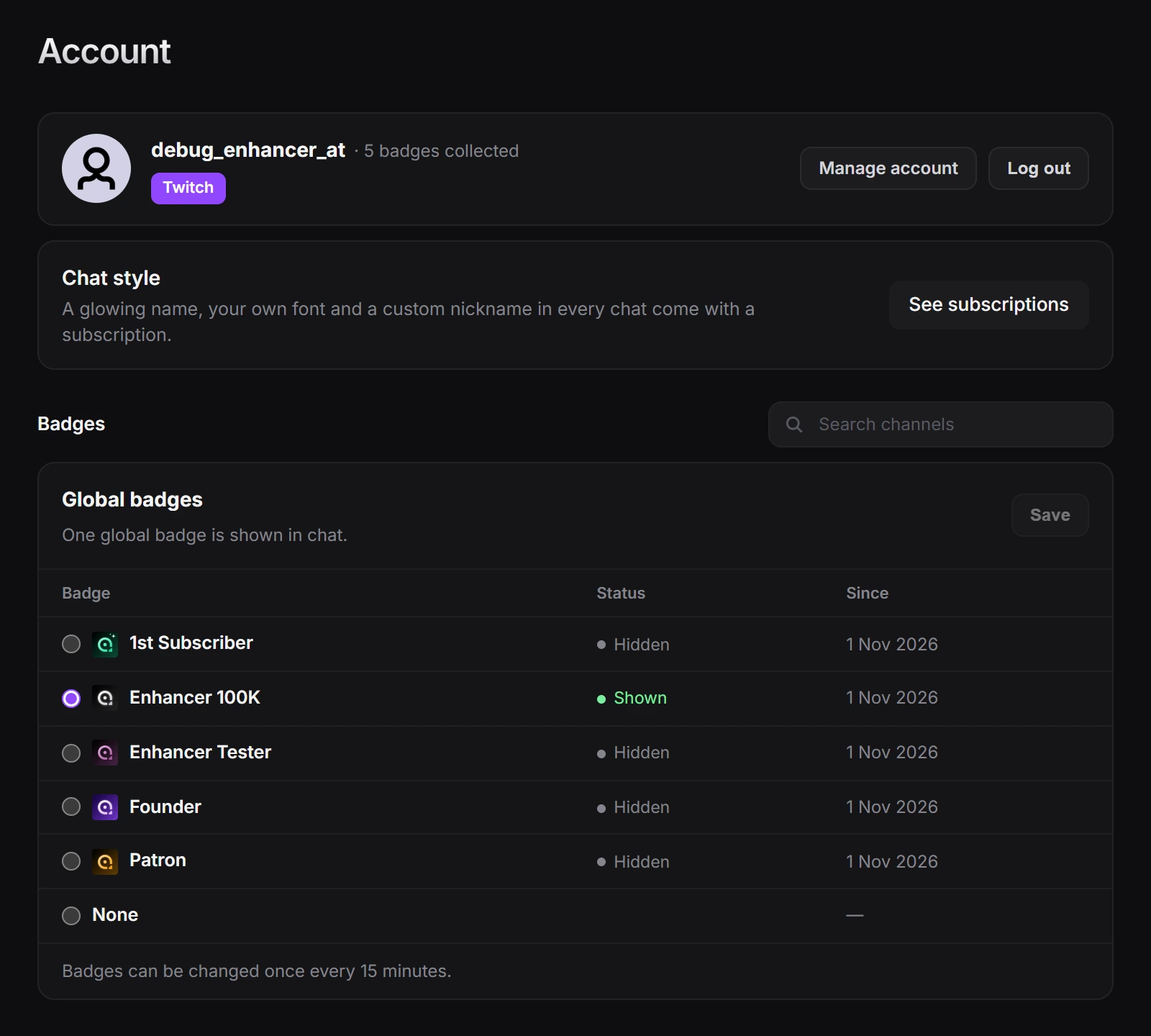
- Create badges for your channel and give them to your viewers.
- Set nicknames for viewers and invite your mods to help.
- Supporters get a glowing name, a custom font and their own nickname.
More in this release
Group messages
Twitch · Kick
When someone sends several messages in a row, only the first one shows their name and badges, like on Discord. Turn it on in Settings → Chat → Messages.
See who joins and leaves chat
Twitch
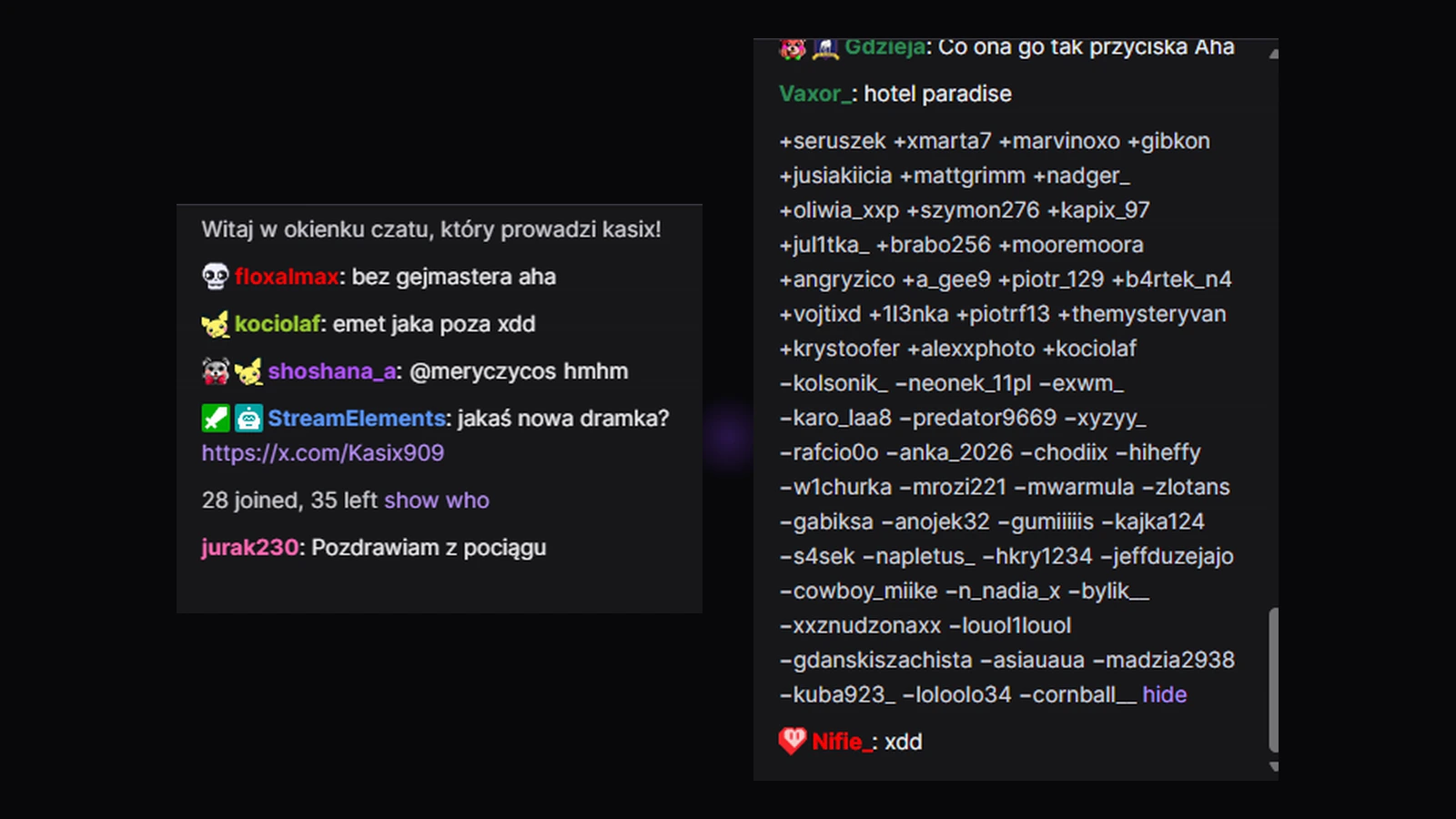
A short line in chat shows how many people joined or left, with their names one click away. Turn it on in Settings → Chat → Messages. It works in chats with up to about 1,000 people.
A welcome tour
New users get a short tour after installing Enhancer. It shows the main features and turns them on with one click. It opens only once and never after an update.
Also fixed
- Settings are no longer lost when you change two of them quickly, and a failed backup now shows an error instead of success.
- Pages load faster, because the settings panel is built the first time you open it.
- Enhancer badges show up faster when you open a stream.
- Twitch: the chatters counter no longer shows on clips and VODs.